Learn how to access and print the Evacuation List to quickly identify on-site personnel during emergencies.
Overview
The Print Evacuation List feature allows you to generate a real-time summary of all individuals currently on-site. This report supports emergency response efforts and is accessible directly from the Home page.
The following user roles can view and print the Evacuation List:
- OnEvac Manager
- OnEvac Assistant
- Location Administrator
- Account Owner
- Sign In/Out Manager
- Reports Manager
Generate and print the report
- Go to: Home page
- Under the Tasks section, locate Print Evacuation List
- Click the Go button next to it
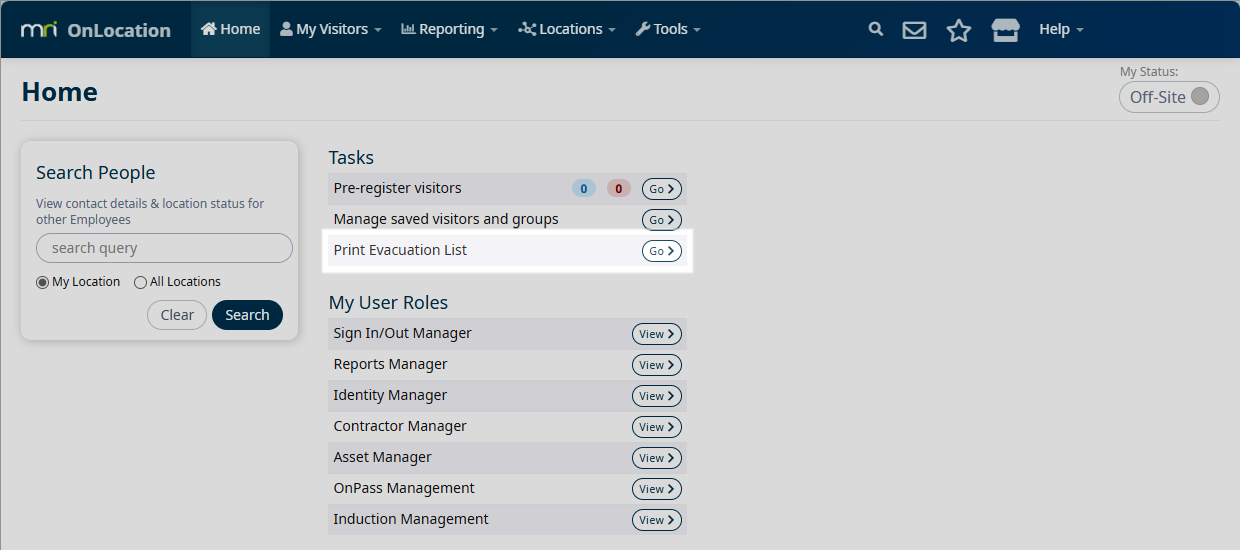
A new modal will appear showing the current on-site summary based on Sign In/Out Manager data.
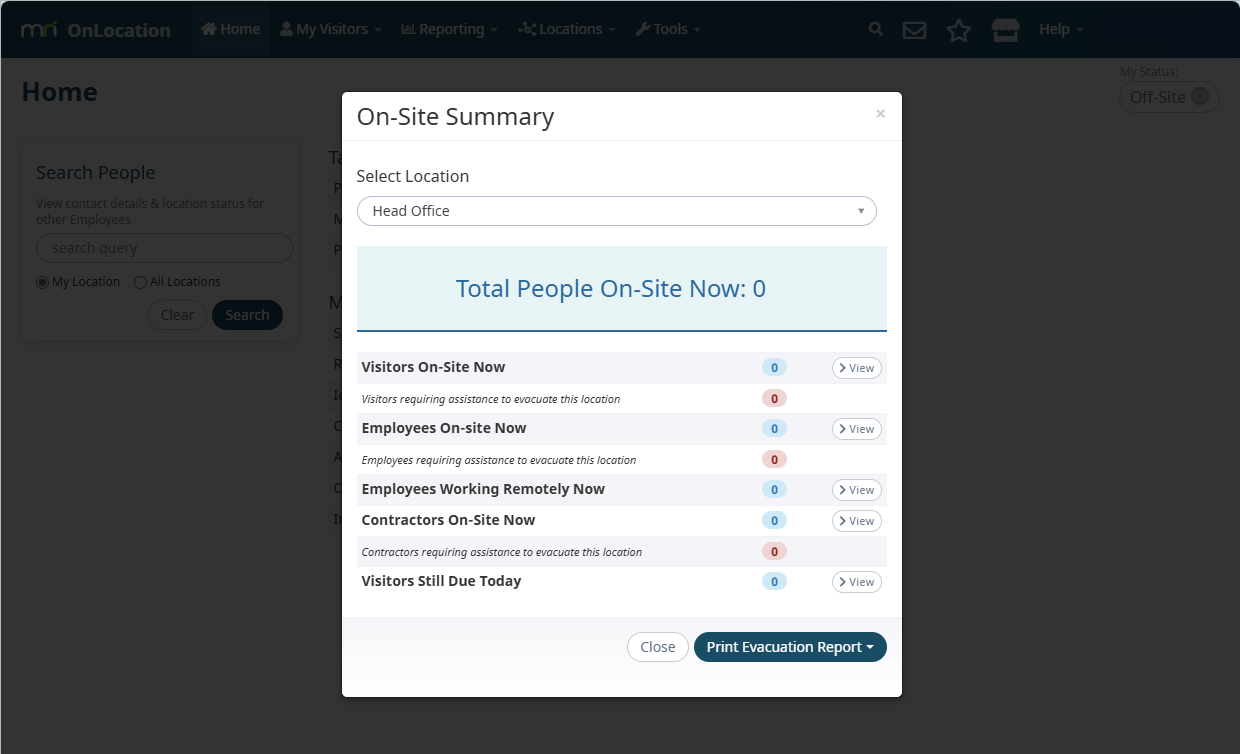
- In the modal, Select a location (e.g., Head Office) to filter personnel
The default location is your currently signed-in location. If not signed in, your home location will be used.
Only locations where you have evac, Sign In/Out Manager, or admin roles will be selectable.
The modal displays the total number of people currently on-site. You can view specific groups:
- Visitors on-site now
- Employees on-site now
- Employees working remotely
- Contractors on-site
- Community members on-site
Group view buttons are only available to Sign In/Out Manager users. They are hidden for other roles.
- Click the Print Evacuation Report dropdown arrow
- Select categories to include (e.g., Employees, Visitors, Contractors
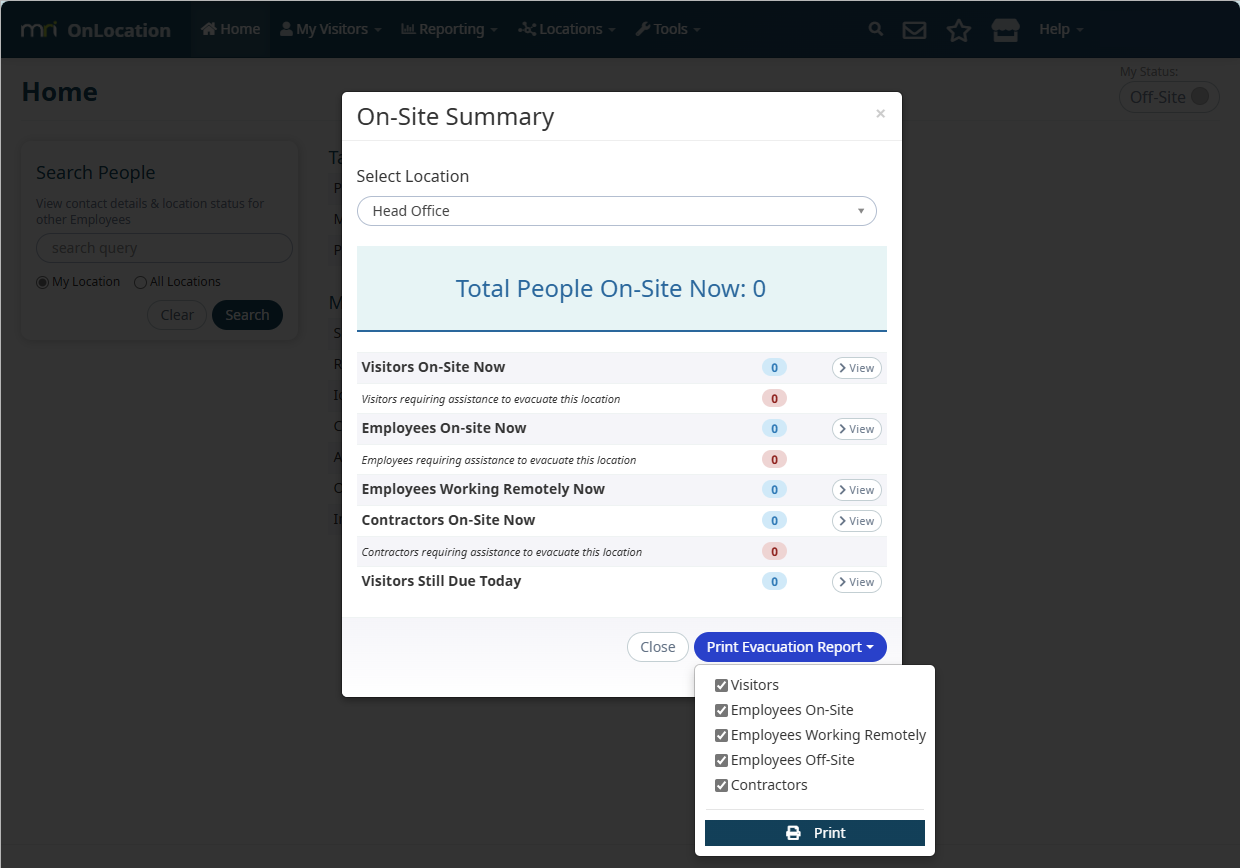
- Click Print to generate a printable evacuation report
The evacuation report is identical to the On-Site reporting in Sign In/Out Manager and automatically downloads as a PDF for immediate use.